
On Tuesday, 14th April 2020, Bishops enters the exciting world of remote learning.
The Remote Learning Programme for the Pre-Prep and Grade 3 may be accessed via this direct link: https://learning.bishopsprep.org.za/onlinework/ or via the Prep Intranet.
To access the Prep Intranet, type https://prepintranet.bishops.org.za/ into the address bar of your browser.
Open the Prep Intranet and select Remote Learning: Grade N to Grade 3 under the Quick Links heading.
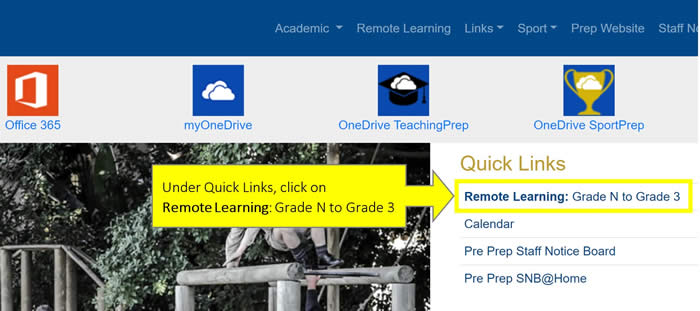
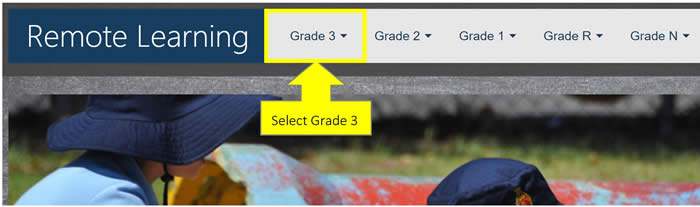
This will open the Remote Learning site. Select your son’s grade in the menu bar.
For example: Grade 3
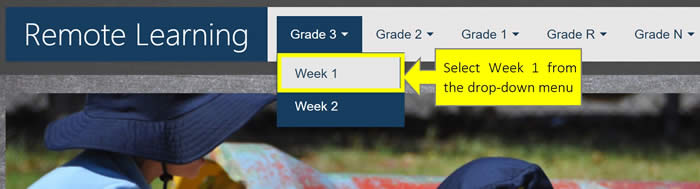
Select the relevant school week from the drop-down menu.
For example: Grade 3 – Week 1
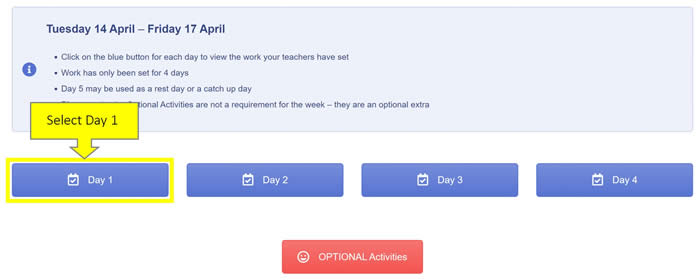
Bishops' Remote Learning Programme has a 4-day cycle. Some optional activities have also been included for the week, with emphasis on the word optional. Select the Optional Activities button to access these. To view the compulsory daily programme, please select the relevant blue button.
For example: Day 1
This will open the daily programme for Tuesday, 14 April. You will notice that several coloured tabs display on screen. The first tab is grey as it is the active tab. It will be open by default when landing on the page and instructions and activities pertaining to this topic or concept will display on screen.
For example: 2 x Tables Tab
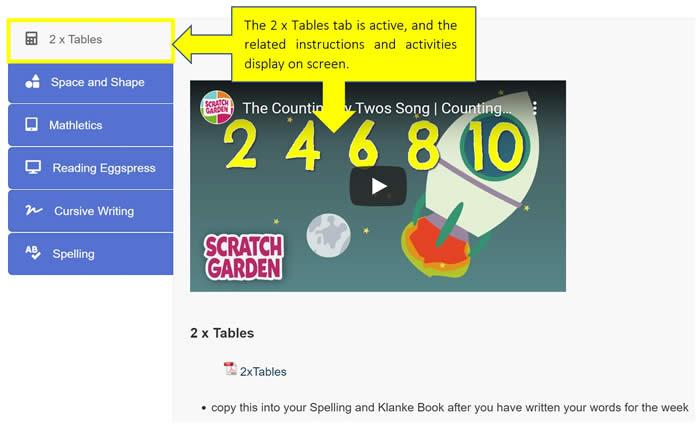
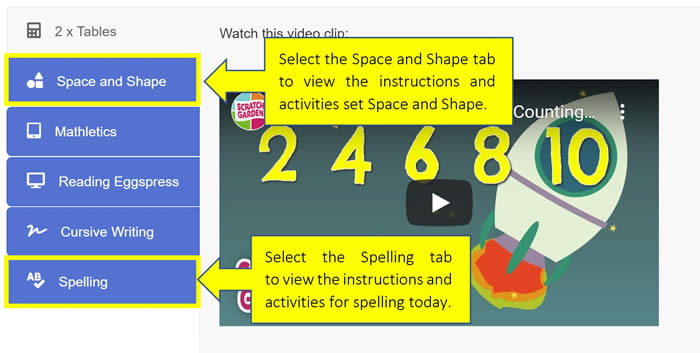
Please select each coloured tab in turn to view all the different instructions and activities set by the teachers.
We trust that you and your son will have a happy remote learning experience.
Should you experience any difficulties, please contact your son's class teacher via email for assistance.
For your convenience, here are some direct links you may wish to bookmark in your browser:
Prep Intranet
Remote Learning Grade N to Grade 3
Kind regards
Bishops ICT Team